Arrow: Archery Training
- iPhone
- Automatic scoring
- Archery
Arrow turns your iPhone into an automatic archery scorekeeper. Shoot your end, walk to the target, and point the phone at it. It spots every arrow in the target and calls the score.
There is no pencil, no scorecard and no mental math at the bale. You spend your time on the next arrow, not on the last one. Every end you score goes into your history, with a photo of the target, so your practice adds up to something you can see.
Arrow is for the archer who practices with a purpose. It works for recurve and compound, indoors and outdoors, on the target faces you already shoot.
Why Arrow
- Score in seconds. Point the phone at the target, and the score is done before you pull your arrows.
- Keep every end. Each session keeps its scores and a photo of the target, so you can look back at any end.
- See your progress. A heatmap, season goals and live stats show where your arrows land and how that changes over time.
- Your target, your rules. Use a standard World Archery target face, or scan the printed target face you shoot on.
App Experience
Shoot
The Shoot tab gives you three ways to score an end.
Live Scan is the fastest. Point the phone at the target face and move it a little around the target. Each arrow locks onto the screen as Arrow finds it, and a counter shows how many arrows are done. When every arrow locks, the rings and the score of each arrow appear on the target. One tap saves the end.
Manual Entry is for the days you want full control. Take a photo of the target, press and hold on each hole, and drag each mark into the ring it hit. The photo keeps a record of the end, and your marks set the score.
Upload scores the target photos that are already in your library. Pick the photos, and Arrow reads the arrows in each one.
Do you shoot on a club target face or a printed target face that is not standard? Point the phone at it one time, and Arrow reads its rings and its point values. After that, it scores your rounds on that target face like any other.
Improve
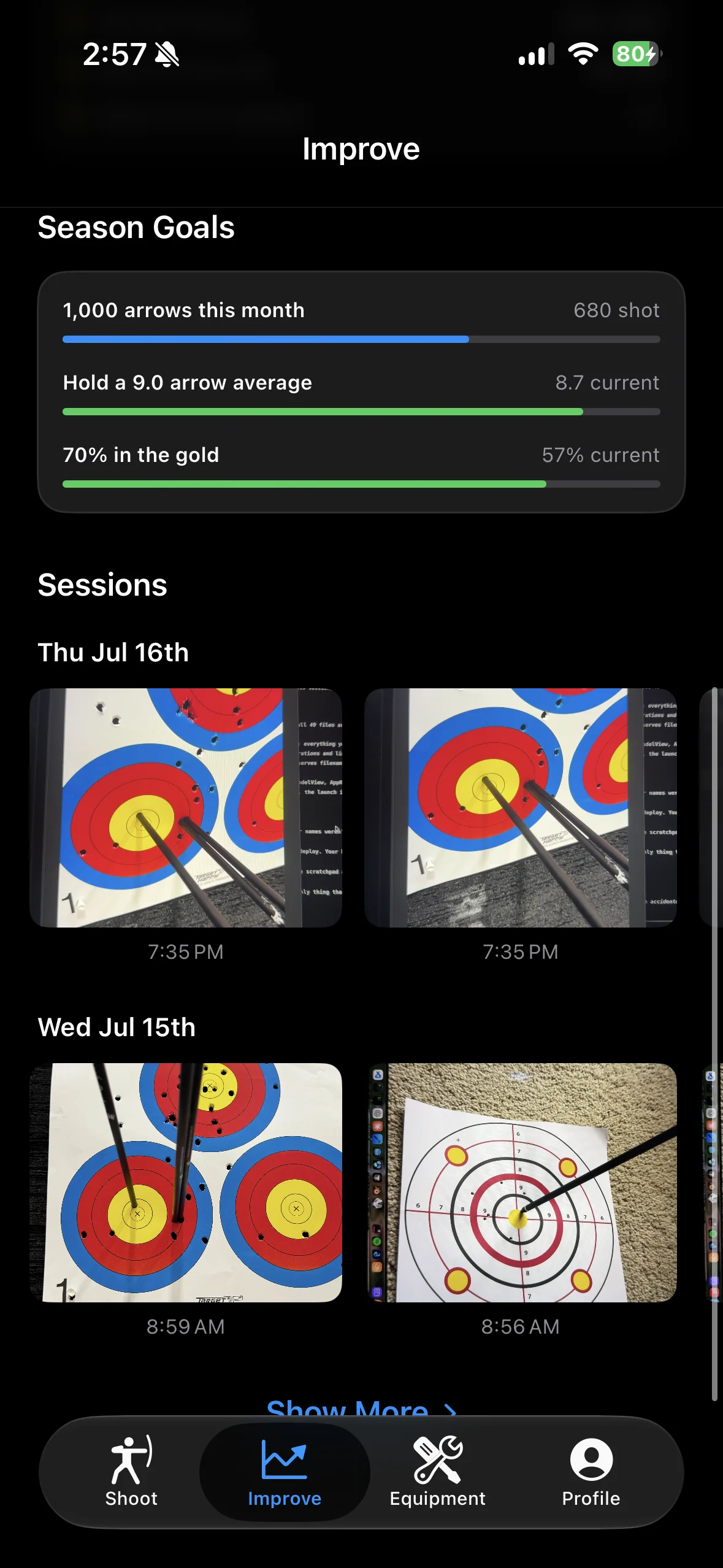
The Improve tab is where your sessions turn into progress. The impact heatmap puts every arrow you shot on one target face, so your real group is easy to see. Season goals track the numbers you care about, such as arrows shot this month, your arrow average, or your share of arrows in the gold.
Below your goals, every session waits for you, grouped by day. Open one to see the score of each end, the photo of the target, and where each arrow landed. Add a note, mark a favorite, or share a session with your coach.
Profile
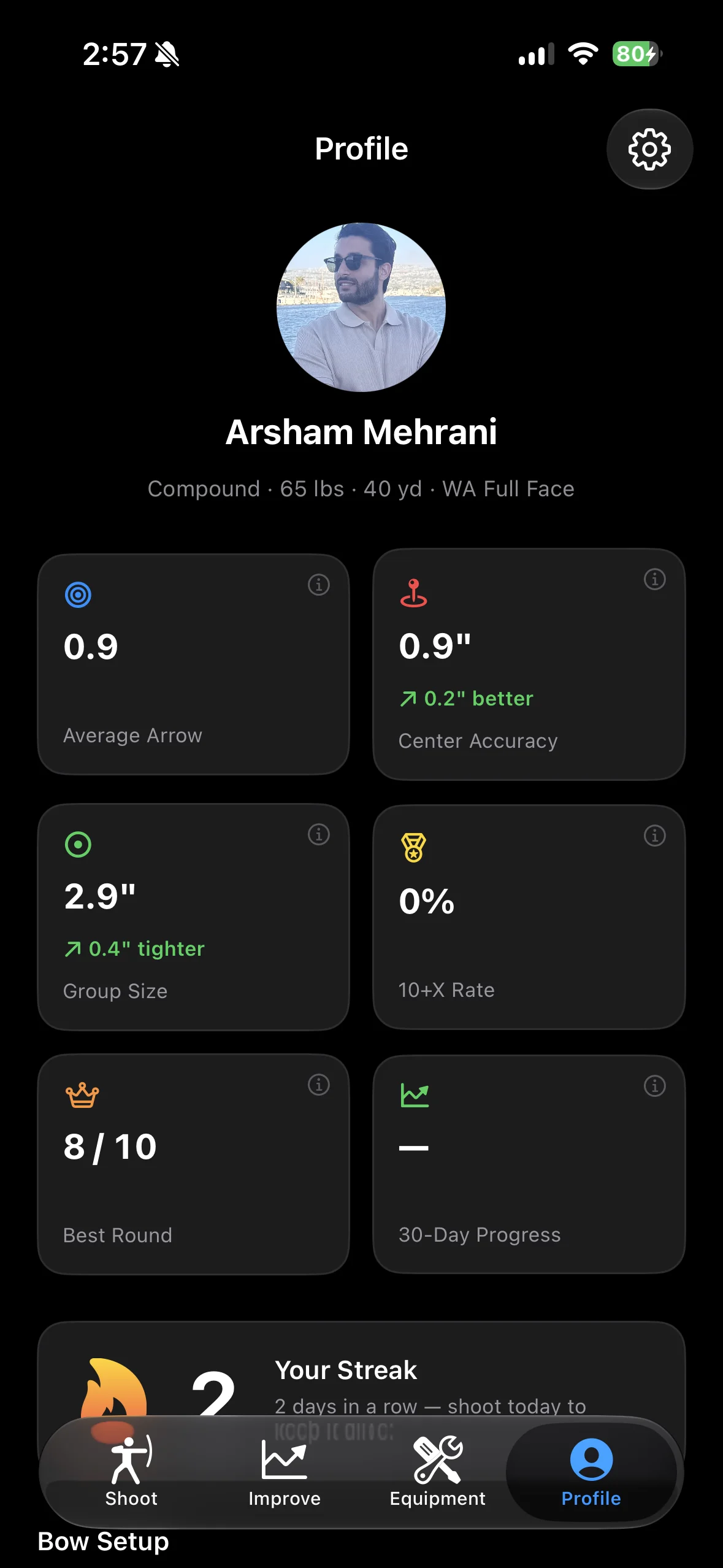
The Profile tab is the archer at a glance. Live stats come straight from your sessions: your average points per arrow, how close your arrows land to the center, your group size, your tens, and your best end. Each card shows whether you are better than before.
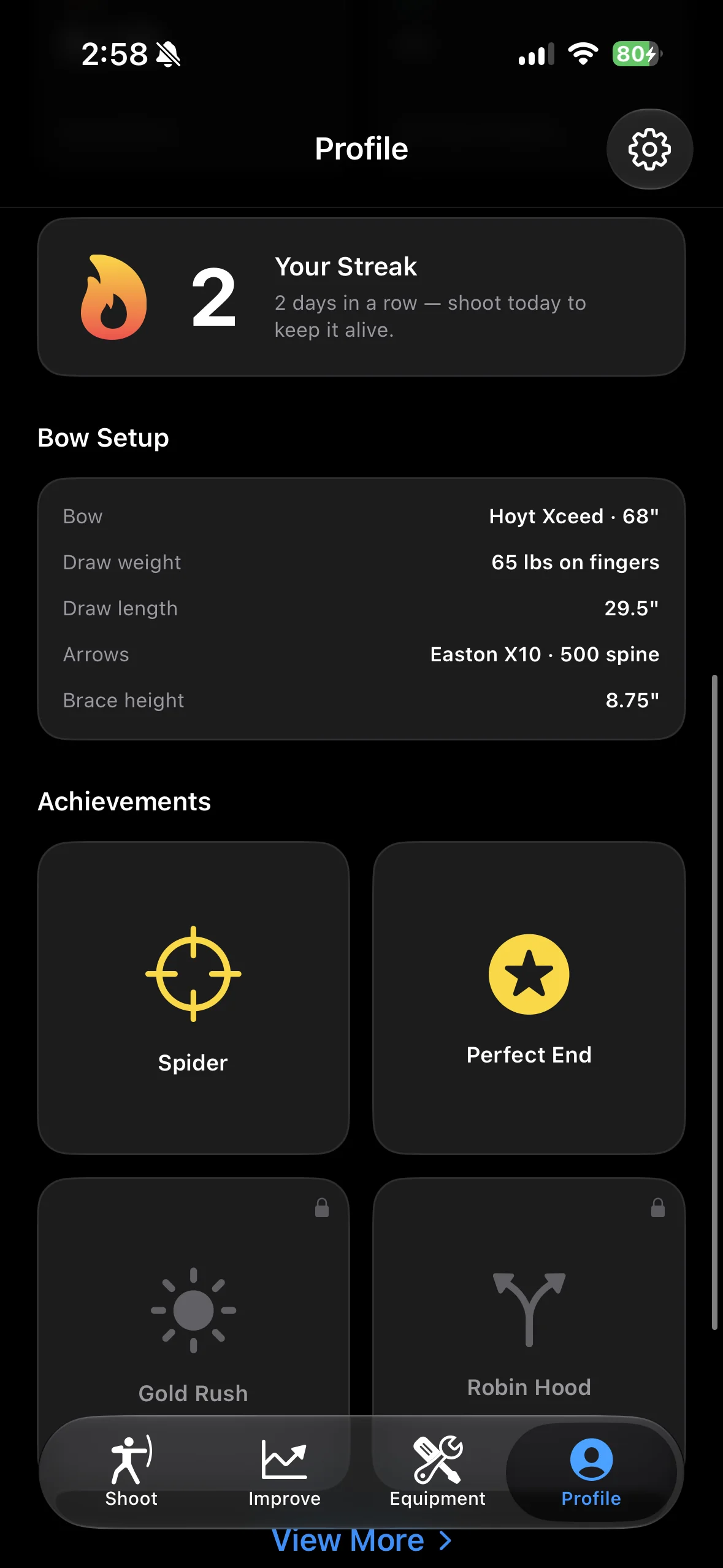
A streak counts the days in a row that you shoot, and achievements reward the milestones along the way. Your favorite sessions sit on your profile too, so your best days stay one tap away.
Equipment and Events
The Equipment tab is your garage. Add your bows and your arrow sets with the make, the model and a photo, and mark the gear you shoot now.
The Events tab shows archery events near you, so the next tournament is easy to find and put on your calendar.
Your Data Goes With You
Sign in one time, and your account keeps your sessions, the target photos of each round, and your profile. If you get a new phone, sign in again and your history is there.
Arrow is a training aid. The score depends on the light, the angle of the camera and how clearly the target shows. For official competition scores, follow the scoring rules of your event.
Try It Out
Arrow is on the App Store. Arrow Pro is 7 days free, then $12.99 a month or $99.99 a year. If you shoot, and you want every arrow to count toward something, Arrow is for you.
'/%3e%3ccircle%20cx='893.5'%20cy='481.5'%20r='69.5'%20fill='%23ffac70'/%3e%3ccircle%20cx='772.984'%20cy='772.578'%20r='69.566'%20fill='%23ffac70'%20transform='rotate(45%20772.984%20772.578)'/%3e%3ccircle%20cx='481.5'%20cy='893.5'%20r='69.5'%20fill='%23ffac70'/%3e%3ccircle%20cx='190.422'%20cy='772.985'%20r='69.566'%20fill='%23ffac70'%20transform='rotate(45%20190.422%20772.985)'/%3e%3ccircle%20cx='69.5'%20cy='481.5'%20r='69.5'%20fill='%23ffac70'/%3e%3ccircle%20cx='190.422'%20cy='190.015'%20r='69.566'%20fill='%23ffac70'%20transform='rotate(45%20190.422%20190.015)'/%3e%3c/svg%3e)